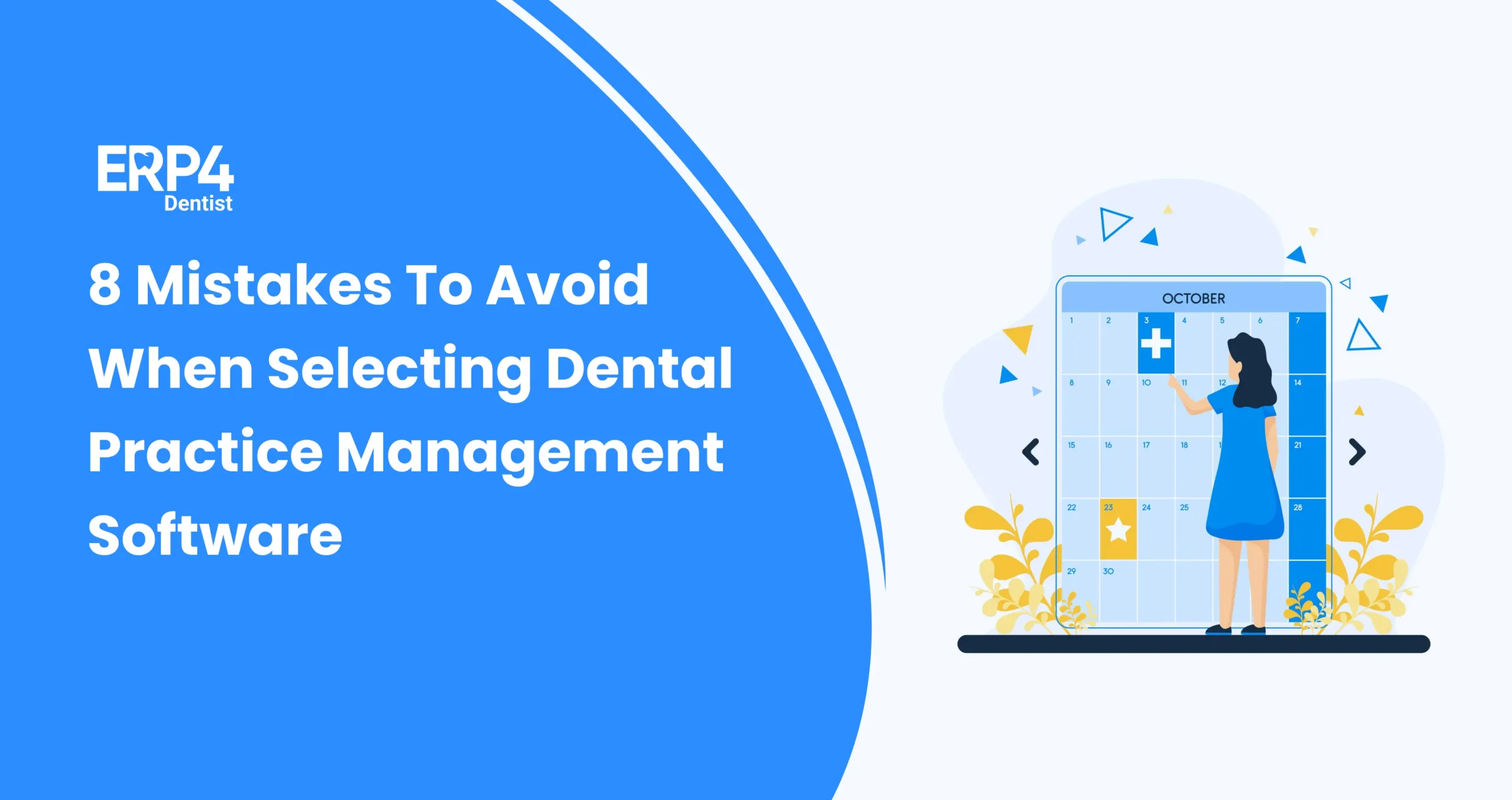
Still, using handwritten appointment books and paper calendars in your dental practice? Scheduling dental appointments shouldn’t feel like pulling teeth. Many dental practices struggle with phone calls, last-minute rescheduling, miscommunications, and no-shows, and it all adds up to lost time and revenue.
But it doesn’t have to be this way. The good news. There’s a better way!
In this post, we’ll walk you through how to schedule appointments seamlessly with Dental Software, making it seamless for everyone involved. You can automate, organise, and optimise your entire appointment process so your team can breathe and your patients can smile.
Why seamless appointment scheduling matters
Seamless appointment scheduling is very important for maintaining a smooth workflow in any dental practice. It helps with the following.
- Minimize scheduling errors
- Reduces patient wait times
- Ensures optimal usage of staff and resources
Efficient appointment scheduling supports better time management and boosts productivity. It enhances patient satisfaction by offering convenient booking options and reducing no-shows.
It truly contributes to a professional and patient-friendly environment.
What do you need before starting to schedule appointments?
Before scheduling appointments using any Dental Software, we need to ensure a few mandatory elements. Having these elements in place results in accurate and patient-friendly appointment scheduling.
1. Patient database:
Accurate patient records, including contact details and treatment history.
2. Schedule of Dentists & Staff
Availability of everyone who is required to treat patients, from Dentists to staff assisting them.
3. Dental Procedure List
Types of Dental procedures performed by the clinic with their pricing
4. Insync Calendar
Real-time Calendar that reflects the ready-to-book appointment slots
5. User Access and Roles
Clearly defined login access and user permissions for Dentists and staff to manage appointment scheduling.
6. Communication channel
Email/WhatsApp systems for sending appointment confirmations and reminders to Dentists and patients.
7. Training
Basic training for Dentists and staff on how to use the software efficiently.
Step by Step Guide: How to schedule appointments with a Dental Software
Here is a Step-by-Step guide on how to seamlessly schedule appointments with any Dental Software.
Step 1: Log in to Dental Software
- Access the software using pre-approved login credentials.
- Create role-based access for Doctors, Receptionists and Clinic staff.
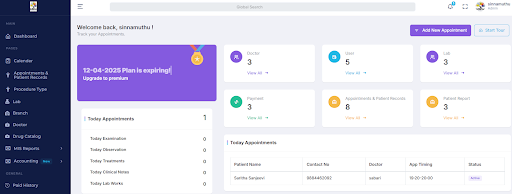
Step 2: Access the Appointment Scheduling module
Navigate the dashboard and access the Appointment scheduling module, which displays the calendar and ready-to-book slots
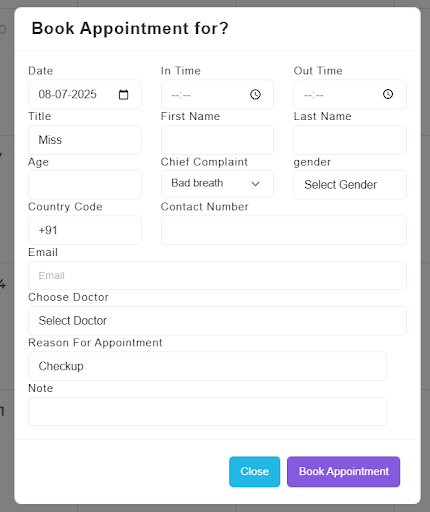
Step 3: Book an appointment for a patient
- Select a suitable date and time from the calendar
- Click on the time slot
- Enter the required details and book an appointment for a new patient
Step 4: Send confirmation
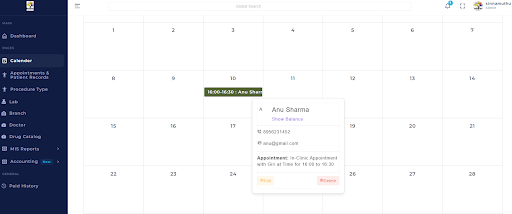
Send Appointment confirmation message to the patient and the Doctor treating the patient through Email and WhatsApp
Step 5: Set up reminders
- Enable automated reminders through SMS, WhatsApp & Email before the scheduled appointment to the patient and the Doctor treating the patient.
- This is purely to reduce no-shows and allow patients time to reschedule if needed.
Step 6: Reschedule or Cancel appointments as needed
- Reschedule Appointments
- Click/Hover on the booked appointment
- Click the ‘Edit’ button
- Edit Details as required
- Save changes
- Cancel Appointment
- Click/Hover on the booked appointment
- Click the ‘Delete’ button and delete the appointment
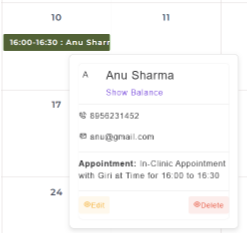
This streamlined process ensures an organised and patient-friendly experience that enhances clinic efficiency and reduces scheduling errors.
Tips for maximising Appointment scheduling
Here are some basic tips for maximising Appointment scheduling in any Dental Management software.
1. Use Automated Reminders
Enabling automated reminders through SMS/WhatsApp/Email can reduce no-shows and last-minute cancellations, keeping the schedule running smoothly.
2. Track and optimize no-show patterns
Use built-in reports to identify frequent no-shows or peak cancellation times, then adjust scheduling strategies accordingly.
3. Setup Appointment buffers
Include short buffer times between appointments to accommodate unexpected emergencies, reducing delays throughout the day.
Bonus features that support Seamless scheduling
Select the most suitable Dental Management Software for your practice. Make an informed choice to enhance efficiency and patient care.
Such software will give you umpteen bonus features. Here are some that support seamless appointment scheduling and enhance overall practice efficiency.
1. Multiple branches, Unlimited Users
- Centralized scheduling – Dentists with admin access can view and manage appointments seamlessly across multiple branches
- Real time synchronisation – Appointment updates are instantly reflected across all branches, ensuring Dentists see the current schedule
2. Drug Catalog
A custom drug catalog helps patients with appointment scheduling by ensuring that any medications needed before, during, or after a procedure are known in advance. This allows the clinic to schedule appointments at the right time for safe and effective treatment, avoiding delays or last-minute changes.
3. E-Prescription
Patients instantly receive E-Prescriptions on their Email & WhatsApp. This helps them quickly understand their drug schedule. They can schedule multiple appointments aligned with their drug timing with ease.
4. Billing Integration
Billing integration within a Dental software allows patients to be aware of their treatment costs upfront and choose appointment times based on their budget or insurance coverage, making scheduling more informed and convenient.
ERP4 Dentist – Built for seamless appointment scheduling
ERP4 Dentist is an All-in-one Dental Patient Management Software designed to simplify and streamline every aspect of your practice, especially Appointment scheduling.
With its intuitive interface, real-time online booking, automated reminders, and smart calendar management, ERP4 ensures a seamless scheduling experience for both Dentists and Patients.ERP4 Dentist is designed to help your practice run smarter, not harder.
If you’re looking to elevate your scheduling process and enhance overall practice management, ERP4 Dentist is the smart, reliable solution you need.
Register now for a 30-day Free Trial and a free Digital Marketing Package, which provides a free Web page, Social media presence, Google My Business setup and Lead generation.
Start transforming your dental workflow today with ERP4 Dentist, the ultimate software built for modern dentistry.
Frequently Asked Questions
1. What features should I look for in dental appointment scheduling software?
Look for features like real-time calendar syncing, automated reminders, patient self-scheduling portals, integration with electronic health records (EHR), and robust reporting tools.
2. How can dental software reduce no-shows and cancellations?
By sending automated appointment reminders via SMS or email, allowing easy rescheduling, and implementing waitlists to fill last-minute cancellations.
3. How does automated scheduling improve staff efficiency?
It reduces the time staff spend on phone calls, minimises scheduling errors, and allows for better allocation of resources throughout the day.
4. What are the benefits of using cloud-based dental scheduling software?
Cloud-based solutions offer remote access, automatic updates, data backup, and scalability, making it easier to manage appointments from anywhere.
5. How do I train my staff to use new dental scheduling software?
Training often includes vendor-provided tutorials, webinars, and hands-on sessions. It’s beneficial to designate a staff member as a superuser to assist others.