Skip to content

Blog | ERP4Ddentist

Home » Managing Staff Workflows in Dental Clinics Using Role-Based Dashboards

Managing Staff Workflows in Dental Clinics Using Role-Based Dashboards

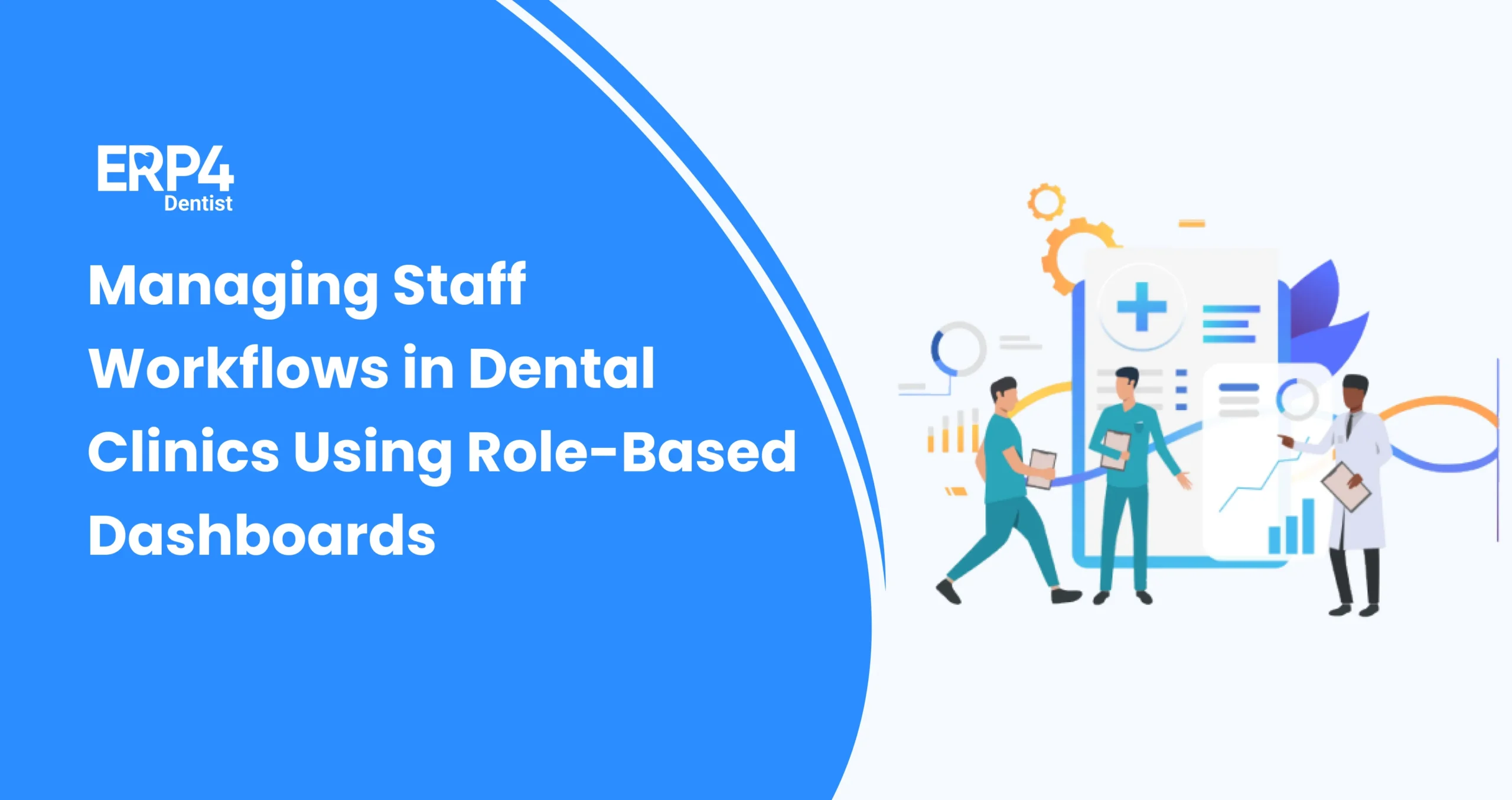
Role-based dashboards in dental software helping staff manage clinical and front desk workflows efficiently.
Any dental practice relies on the seamless operation of the business to ensure that the patients are satisfied and the staff are not in distress. However, when the duties accumulate, like in scheduling, billing, updating the treatment, and communicating with the patient, one can easily fall behind in the paperwork. This is why clinics are increasingly turning to
tools to automate dental office workflow. The repetitive work is eliminated, errors are decreased, and time is spent providing care to patients rather than documenting them.

The role-based dashboard is one of the best tools to automate dental office workflow. Rather than making all people view the same disorganized screen, these dashboards will display to each staff member only what matters to them. That is, the work of receptionists can be devoted to scheduling and payment, whereas clinical staff members can observe treatment tasks and patient history. Managing staff through dental software provides clinics with structure, accountability, and speed. It is this enhancement of dental software that makes the current-day dental offices operate smoothly as well-oiled machines.

What Are Role-Based Dashboards in Dental Clinics?

Role-based dashboards in dental clinics refer to customised online displays within dental software that only show the information required by each employee. As an example, receptionists may view scheduling, reminders, and billing, whereas clinical personnel may view treatment plans and patient records. 

This structure minimizes clutter, all are focused, and accountability is enhanced. By using role-based dashboards in dental software, clinics can ensure that staff aren’t overwhelmed with irrelevant details. Rather, all the roles have a defined and structured workspace that enhances collaboration and improves efficiency within the whole dental office.

This approach mirrors broader trends in India’s health sector, where digital dentistry is already being recognized as a game changer, especially in rural settings.

How Dental Dashboards Work?

It will be worthwhile to see how dental dashboards work in real practice. The fundamental element is a dashboard that draws information about the clinic, and this information is sorted into categories by staffing levels. By doing so, every user receives a personalized display, where receptionists can view appointments or payments, and clinical staff can view patient history, treatment history, or e-prescriptions.

The system is real-time based, meaning that any action at the front desk is reflected in real time to the clinical team and vice versa. That is what role-based dashboards in clinics can achieve: miscommunication is avoided, day-to-day operations are simplified, and each staff member gets the clarity they deserve. To the point, dashboards serve as a command center and ensure greater precision and efficiency when it comes to staff management in dental clinics.

Why Are Role-Based Dashboards Important in Dental Workflow Management?

Role-based dashboards in dental software are not merely cool to look at but address actual workflow issues at dental facilities. They minimize confusion and increase accountability by providing each staff member with what they need. Here’s why they matter:

  • Prioritized Workflows: Employees are able to view urgent jobs first, which helps them attend to time-sensitive cases in no time.
  • Shorter Training Period: Dashboards make it possible to present the tools to dental office workflows that are only pertinent to the job of the new team members, making it easier to train them in a shorter time.
  • More Transparency: Managers have real-time visibility on what is being done, making everyone accountable to one another.
  • Uniformity between Shifts: Although employees may switch shifts in the middle of the day, dashboards will help maintain previous work and make it simple to resume.
  • Scalable to Growth: Role-based dashboards are easily scalable to new roles and additional responsibilities as the clinics grow.

How to Manage Staff Workflows with Role-Based Dashboards?

Role-based dashboards in clinics cannot work without a proper plan in place. Clinics should map the staff responsibilities and set up dashboards to suit the day-to-day tasks. The following is a step-by-step guide on how to make it work:

Step 1: Identifying Staff Roles and Responsibilities

The initial one is to establish who does what in your clinic. Receptionists deal with patient booking, patient reminders, and billing, and the clinical staff deal with patient treatments, prescriptions, and patient records. Dentists require reports, treatment planning, and analytics. Through these roles, you can prevent overlapping and confusion by defining them clearly. This kind of clarity facilitates the ability to customize role-based dashboards in dental software that reflect real responsibilities. After roles are determined, it will be easy to assign dashboard views so that each member of staff can see precisely what matters to them.

Step 2: Assigning Role-Based Access in Software

After the recognition of roles, the second step is to assign access levels in the software. Receptionists can access the sensitive history of treatment, e.g., not necessary, whereas dentists must have the complete picture. Role-based dashboards in clinic workflows allow clinics to give every staff member a focused perspective and secure sensitive information.

This not only enhances efficiency but also maintains data security. Restricting access to user-specific operations implies fewer distractions, fewer errors, and a system that does not violate patient confidentiality. It is all a matter of finding the right balance between privacy and functionality.

Step 3: Monitoring Daily Tasks and Progress

Dashboards can really be useful when they monitor the activities of a day in real time. The receptionists will be able to see upcoming appointments, pending payments, and incoming patients, and clinical staff will be able to see treatments in progress. Reports allow dentists to check on the smooth running of the day. 

Dental software provides clinics with insight into who is performing what at any time, through the management of staff. This facilitates an easier way to identify bottlenecks, redistribute workloads, or send reminders. It also increases accountability, as everyone understands that his or her work is monitored and in a fair manner on a daily basis.

Step 4: Automating Repetitive Workflows

Most tasks in dental offices are routine, such as sending appointment notices, creating invoices, or updating a prescription record. Role-based dashboards enable the clinics to automate such jobs, and staff members do not need to use manual labor. An example would be the front-desk booking automatic WhatsApp messages, whereas billing dashboards will produce invoices immediately after the treatments.

This is how tools to automate dental office workflow bring real change: they eliminate tedious work, reduce errors, and allow staff to focus on higher-value activities. Automation is not about laying off employees but providing them with the means to be smarter and not harder when at work.

Step 5: Reviewing Reports and Optimizing Staff Performance

The last process is continuous improvement with dashboards. Dashboards produce reports displaying performance measures, missed appointments, average wait time, or billing productivity. Through this data, managers can spot areas that are weak and make workflow revisions. As an example, when there are frequent delays at check-in, additional employee training or automation may be required.

It is at this point that the dental software optimization is at its finest, turning unprocessed data into actionable data. Reporting on a regular basis will help the staff not only to be able to cope with daily activities, but also to get better with time, making the clinic more effective and patient-oriented.

Advantages of Using Role-Based Dashboards

Role-based dashboards are not just another form of task lists; they provide clinics with a smarter way of handling people and processes. The following are newer benefits:

  • Custodial Role Views – Dashboards are position-specific and reduce clutter and increase focus.
  • Better Data safety – Only authorized roles can see sensitive data, and this safeguards patient privacy.
  • Error Prevention – In-built controls will ensure that treatments, billing, and records are processed with minimal errors.
  • Performance Insights – Managers are able to monitor productivity and identify where support or training is necessary.
  • Scalable Flexibility – Dashboards are easily modified as clinics expand to accommodate new staff roles and new services.

Final Word

A Dental ERP assists in ensuring that all activities, scheduling down to staff organization, run smoothly. It integrates workflows with intelligent automation to simplify the complex into the simple, and similar processes to ensure front desk and clinical teams are in sync.

ERP4Dentist was created for this purpose. Our staff-based dashboards provide each employee with the clarity required, be it the handling of appointments, billing, or tracking of treatments. Rather than having to juggle disjointed tools, clinics can now have everything under a single platform that is specifically designed to meet the needs of dental practices.

You can discover it yourself. We offer a 30-day free trial, so you and your team can test it, see what it can do, and determine how it fits your workflow before you commit.

Frequently Asked Questions (FAQs)

  1. What technology is used in dental offices?

Digital X-rays, CAD/CAM, patient management software, and tools are used in dental practices to automate such processes as scheduling and e-prescriptions.

  1. What is digital workflow in dentistry?

Digital workflow means the scheduling, records, billing, and treatment planning are managed with the help of software and tools in a seamless and paperless manner.

  1. What software do dental receptionists use?

Dental ERP or practice management software is generally utilized by receptionists to make appointments, send reminders, bill, and manage patient data.

  1. What are the four types of workflows?

The four popular types are sequential, state-machine, rules-driven, and collaborative workflows, which are meant to handle the tasks and processes in different ways.
Related Post

How Dental Clinics Can Reduce Front Desk Workload Using QR Code Booking

The front desk in a dental clinic is ever busy:...

Turning Happy Patients into 5-Star Reviews Using WhatsApp Automation

In today’s digital-first world, customer reviews can make or break...
Why clinics prefer whatsapp based customer support
Whatsapp for dental appointment reminders

7 Reasons WhatsApp is the Best Channel for Dental Appointment Reminders

The moment when a patient says, “Oh, I totally forgot...
Role of responsive customer support

Building Trust After Go-Live: The Role of Responsive Customer Support

Launching a new product or digital system today is far...
Leadership in Successful Dental Software

The Role of Leadership in Successful Dental Software Implementation

A dental clinic in Pune invested in new practice management...
Are Digital Consent-Forms Legally

Are Digital Consent Forms Legally Valid in India? A Dentist’s Guide

In the world of dentistry, manual paperwork is not only...
Breaking the old mindset in Dental Clinics

Breaking the ‘We’ve Always Done It This Way’ Mindset in Dental Clinics

Ever heard this from your clinic staff – “We have...
The Hidden Costs of Poor Clinic Management

The Hidden Costs of Poor Clinic Management (And How the Right Software Can Fix It)

Running a dental clinic is not just about treating patients—it’s...
All in one dental software vs multiple tools

All-in-One Dental Software vs Multiple Tools: What Actually Works Better?

As a Dentist, have you ever tried managing your clinic...
Creating internal champions to support software rollout

Creating Internal Champions to Support New Software Rollout

Every dental clinic has that one person who is a...
challenges in managing dental lab work

7 Challenges in Managing Dental Lab Work (And How Software Solves Them)

If you are a Dentist managing a Dental Clinic, you...
Dental clinics can improve patient experience with whatsapp notification

5 Ways Dental Clinics Can Improve Patient Experience with WhatsApp Notifications

Remember the moment when a patient says, “Oh, I forgot...
change management guide for dental software implementation

Complete Change Management Guide for Dental Software Implementation

Switching to a new Dental Software is a big shift...
Manual decisions dental clinics should automate immediately

10 Manual Decisions Dental Clinics Should Automate Immediately

Dentists often feel like jugglers while managing their Dental Clinic...
Paper vs Digital Consent Forms

Paper vs Digital Consent Forms: What’s Better for Dental Clinics

If you manage a dental clinic, you have probably had...
Illustration showing how to train dental staff faster using role based access

How to Train Dental Staff Faster Using Role-Based Software Interfaces

Let’s be very honest. Bringing a new dental staff into...
Illustration showing what to Look for in Dental Software If You Plan to Open a Second Clinic

What to Look for in Dental Software If You Plan to Open a Second Clinic?

Are you a dentist opening your second clinic? Firstly, congratulations!...
ERP4 Dentist illustration showing a step-by-step guide to custom dental software onboarding for clinics.
Step-by-Step Guide to Custom Dental Software Onboarding for Clinics

Adapting to new Dental Software actually feels like moving into...
Image showing tips for data migration while switching dental clinics

7 Tips for Data Migration when Switching Dental Clinic Software

Ever tried switching to a new phone and realised the...
Dental clinic managing peak hour patient load efficiently using smart dental software and automated workflows.

How to Handle Peak Hour Overload Using Smart Dental Systems

Peak hours in Dental Clinics can get very hectic. One...
New dentist using dental practice management software to efficiently manage patients, appointments, and clinic operations.

How Dental Software Helps New Dentists Manage Their First Clinic

As a new dentist, it is very exciting to start...
Illustration showing dentists and staff replacing manual clinic tasks with digital dental software workflows.

7 Manual Tasks Dental Clinics Should Stop Doing in 2026

Let us not sugarcoat this. Many dental clinics today operate...
Illustration of dentists analyzing KPI dashboards on a digital screen, representing key performance indicators tracked using dental software dashboards.

7 KPIs Every Dental Clinic Owner Should Track Using Dental Software Dashboards

Today’s healthcare environment is very competitive. Running a Dental clinic...
Illustration of a dentist interacting with a digital dental workflow dashboard, showing how dental software helps eliminate workflow bottlenecks in clinics.

5 Workflow Bottlenecks in Dental Clinics (And How Software Solves Them)

Is your dental clinic struggling with delays, patient dissatisfaction, or...
Illustration showing dental staff entering patient data into software with alerts and validation checks, highlighting how dental software prevents data entry errors.

7 Common Data Entry Errors in Dental Clinics & How Software Prevents Them

Managing patients, appointments, and never-ending paperwork are all part of...
Dental software dashboard displaying financial reports and revenue insights to identify income leakage.

How to Use Dental Software to Identify Revenue Leakage

Let us be honest. Most dental clinics lose money not...
Dental team facing challenges in adopting dental software and learning best practices for success.

Why Dental Clinics Fail at Software Adoption (And How to Avoid It)

Let us be honest. Most dental clinics use some software...
Dental team discussing software features on a screen before a live dental software demo.

10 Questions to Ask Your Software Vendor Before a Live Demo

It is always a significant business decision to choose the...
Dentist reviewing a digital checklist representing the daily routine of a well-managed dental practice.

10 Checklist: The Daily Digital Routine of a Well-Run Dental Practice

Routines make a massive difference in life, in work, and...
Dental clinic staff using digital systems instead of spreadsheets to manage patient and clinic data.

10 Signs Your Dental Clinic Has Outgrown Spreadsheets

Old keys hardly ever open new doors, and this is...
Illustration showing different dental clinic types using tailored dental software solutions.

Choosing Dental Software Based on Your Clinic Type: Solo, Chain, or Speciality

Have you ever paused during a busy clinic day and...
Illustration of a dentist treating a patient in a modern clinic setting, symbolizing patient experience factors that influence patient retention in dental clinics.

7 Reasons Patients Leave Dental Clinics (That You Can Prevent)

The majority of clinics are pursuing new clients; however, the...
Illustration of a mobile phone displaying digital billing and payment confirmation, representing how digital billing improves cash flow in dental practices.

5 Ways Digital Billing Improves Cash Flow in Dental Practices

The majority of the clinics have already adopted the UPI-based...
Cloud-based dental software promoting paperless workflows and eco-friendly dental practices.

Green Dentistry – How Cloud Software Reduces Environmental Footprint

The green signal has always had one meaning: go ahead...
Dental clinic dashboard displaying revenue insights and profitability metrics powered by dental software.

How Dental Software Drives Profitability Beyond Scheduling and Billing

Profitability is the foundation of any dental clinic, but it...
Role-based dashboards in dental software helping staff manage clinical and front desk workflows efficiently.

Managing Staff Workflows in Dental Clinics Using Role-Based Dashboards

Any dental practice relies on the seamless operation of the...
Front desk staff and dentists collaborating seamlessly using integrated dental practice software.

How Dental Software Improves Collaboration Between Front Desk and Clinical Teams

To operate a successful dental clinic, it is essential that...
Illustration depicting a dental patient management system interface with patient profiles, security icons, and dental symbols, representing essential software features.

6 Key Features Every Dental Patient Management System Should Have

The business of operating a contemporary dental clinic is all...
Dentist selecting medications from a digital drug catalog integrated with dental software.

How Digital Drug Catalogs Reduce Prescription Errors in Dental Clinics

The accuracy of prescriptions in dentistry is very important; a...
Illustration showing a dentist reviewing digital dental records and e-prescriptions on a computer, highlighting the benefits of integrating e-prescription systems with dental records.

5 Benefits of E-Prescription Integration with Dental Records

The world is changing at a faster pace than ever...
Dentist using e-prescription software integrated with dental practice management system.

A Guide to Implementing E-Prescriptions in Dental Practices

E-prescriptions are changing the way healthcare and dentistry operate at...
Role-based access controls in dental software securing clinic data while improving staff efficiency.

Role-Based Access in Dental Software: Ensuring Security and Efficiency

Imagine a busy dental clinic crowded with people. Patients arriving...
Dental practice owner monitoring multiple clinic locations through a unified dental software system.

How Dental Software Makes Multi-Location Management Easy and Efficient

Running a dental practice across multiple locations is both exciting...
Illustration showing a dental software interface with cost and communication icons, representing hidden costs associated with dental management software.

8 Hidden Costs to Watch Out for in Dental Management Software

Nobody likes extra charges. It is similar to entering a...
Checklist illustrating data security and compliance requirements for dental software in India.

Checklist: Data Security Compliance for Dental Software in India

Laws are not created to govern; they are created to...
Scalable dental software supporting multiple users across departments without performance issues.

Managing Unlimited Users in Dental Software: Why Scalability Matters

The process of progress is all about change, and the...
Multiple dentists accessing shared patient records through centralized dental management software.

How Dental Software Enhances Patient Management in Multi-Doctor Clinics?

Convenience shapes how we live. Be it ordering food online...
Dental clinic using automated reminders in dental software to reduce patient no-shows and cancellations.

How Dental Software Reduces No-Shows and Late Cancellations

It has plagued every dental clinic: the patient who does...
Dentist using digital treatment planning software to create accurate and efficient patient care plans.

Why Treatment Planning Software Is Essential for Dental Clinics?

The practice of dentistry today is no longer simply a...
Dental professionals viewing patient records and clinic data on dental management software dashboard.

Benefits of Dental Management Software

The Dental software benefits are numerous as it facilitates growth...
Cloud-based dental software enabling secure, anytime access to clinic and patient data.

Why Cloud-Based Dental Software is the Future of Your Dental Practice

Cloud-based dental software is the adaptation you need to take...
Illustration showing common mistakes to avoid when choosing dental practice management software for clinics.

8 Mistakes To Avoid When Selecting Dental Practice Management Software

Dental practice management software is a modern update to your...
Doctor accessing electronic medical records on a laptop highlighting EMR benefits in healthcare.

Benefits of EMR (Electronic Medical Records)

Are you managing your dental clinic with paper records? This...
Dental clinic staff scheduling patient appointments seamlessly using dental practice management software.

How to Schedule Appointments Seamlessly with Dental Software

Still, using handwritten appointment books and paper calendars in your...
Dental clinic owner comparing features of different dental practice management software solutions.

How to Choose Dental Software for Your Clinic

As a new clinic owner, you’re juggling too many roles:...